

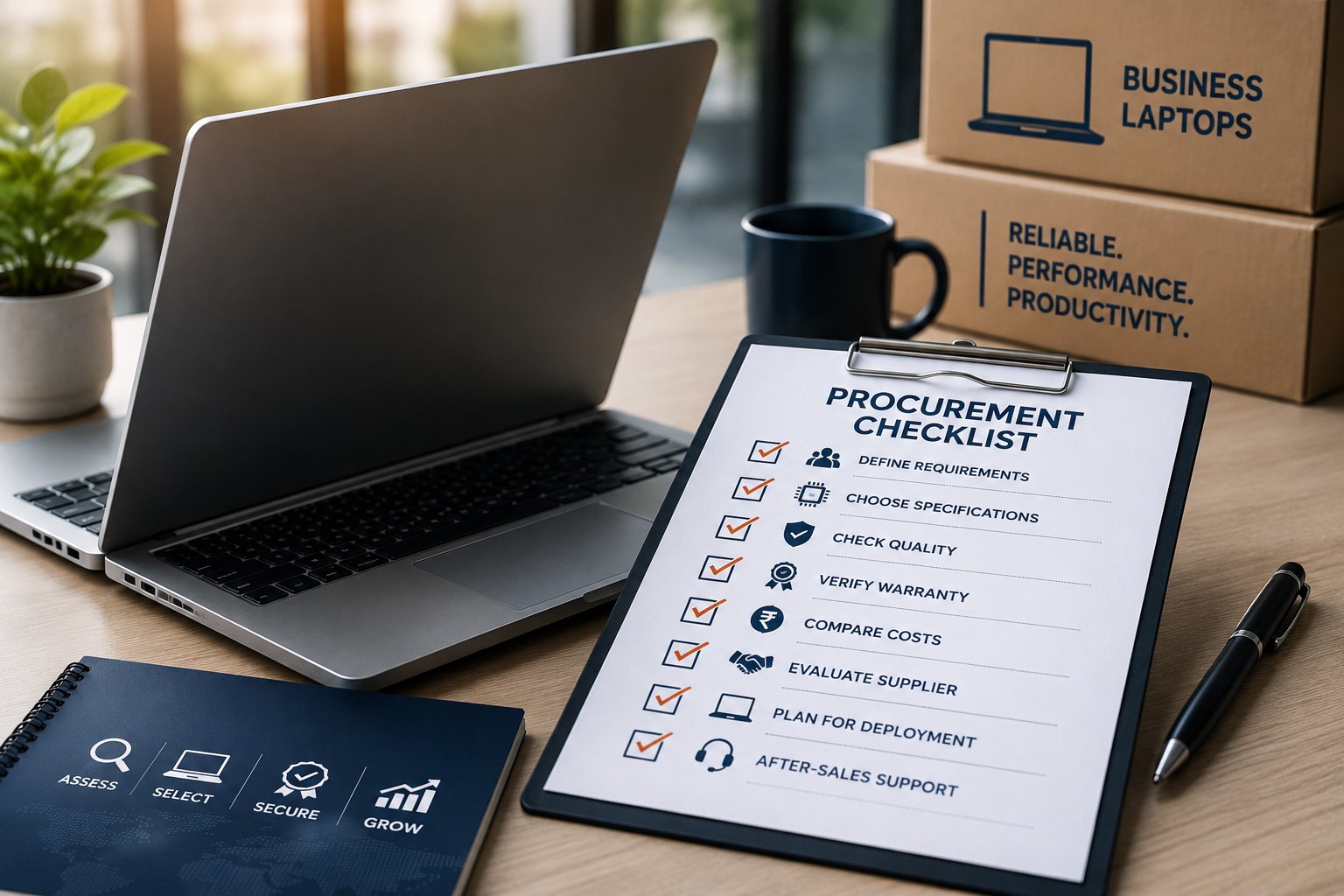
Buying laptops for yourself is straightforward. Buying laptops for an entire team is a different challenge altogether.
Whether you're a startup onboarding new employees, an SME upgrading office devices, or an enterprise expanding its workforce, laptop procurement involves much more than comparing prices. Choosing the wrong devices can lead to reduced productivity, higher maintenance costs, and inconsistent user experiences.
That's why having a structured procurement checklist is essential.
If you're considering refurbished laptops, this guide will walk you through everything you should evaluate before making a purchase. Whether you need one device or one hundred, these checkpoints will help you buy refurbished laptop solutions with confidence.
Why a Procurement Checklist Matters
A laptop is a long-term business asset.
Making the right choice ensures:
- Higher employee productivity
- Lower maintenance costs
- Easier IT management
- Better return on investment
- Longer device lifespan
Without a procurement plan, businesses often end up buying different models, overspending on unnecessary specifications, or compromising on quality.
Step 1: Define Your Business Requirements
Before comparing laptops, identify who will use them and for what purpose.
Different teams have different performance requirements.

Matching hardware to job roles prevents overspending while ensuring employees have the tools they need.
Step 2: Decide Between New and Refurbished
Many organisations automatically consider new laptops without evaluating refurbished alternatives.
Certified refurbished laptops offer:

For businesses focused on value, refurbished laptops often provide the best balance of cost and performance.
Step 3: Standardise Laptop Configurations
Buying different models for every employee makes IT management difficult.
Standardising configurations offers several advantages:
- Easier troubleshooting
- Faster onboarding
- Consistent employee experience
- Simpler software deployment
- Easier spare part management
- Lower long-term support costs
Where possible, choose one or two standard models for your organisation.
Step 4: Evaluate the Laptop Specifications
Don't compare laptops based on price alone.
Use this checklist before making your decision.

Choosing the right specifications improves both user experience and device longevity.
Step 5: Verify the Refurbishment Process
Not all refurbished laptops undergo the same level of quality checks.
Before you buy refurbished laptop devices, ask about the refurbishment process.
A certified refurbisher should inspect:

A transparent refurbishment process is one of the strongest indicators of product quality.
Step 6: Check Warranty and After-Sales Support
Warranty isn't just about duration.
It's also about how efficiently problems are resolved.
Before buying, confirm:

Reliable after-sales support becomes especially important for businesses managing multiple devices.
Step 7: Consider Total Cost of Ownership
The cheapest laptop isn't always the most economical.
Look beyond the purchase price.
Factor in:
- Expected lifespan
- Upgrade options
- Maintenance costs
- Warranty support
- Productivity gains
- Repair costs
- Energy efficiency
A slightly higher upfront investment in a reliable business-grade laptop can reduce long-term expenses.
Step 8: Choose a Trusted Supplier
The supplier plays a major role in your procurement experience.
Choose one that offers:
- Certified refurbishment
- Warranty coverage
- Transparent quality standards
- GST billing
- Bulk procurement support
- Consistent inventory
- Responsive customer service
A trusted supplier becomes a long-term technology partner rather than just a vendor.
Final Procurement Checklist
Use this checklist before placing your order.

Following these steps helps businesses avoid costly procurement mistakes.
Final Thoughts
Laptop procurement isn't simply about buying devices—it's about investing in productivity, efficiency, and long-term business growth.
Certified refurbished laptops offer an excellent opportunity to reduce costs while equipping teams with reliable, enterprise-grade technology.
When you buy refurbished laptop solutions from a trusted refurbisher, you're choosing tested hardware, transparent quality processes, and dependable after-sales support.
Whether you're purchasing five laptops or five hundred, a structured procurement checklist helps ensure every investment delivers maximum value.
Frequently Asked Questions
1. What is a laptop procurement checklist?
A laptop procurement checklist is a structured guide that helps businesses evaluate specifications, warranty, refurbishment quality, supplier credibility, and long-term costs before purchasing laptops.
2. Why should businesses consider refurbished laptops?
Certified refurbished laptops provide enterprise-grade performance, lower acquisition costs, and excellent value, making them a practical choice for startups, SMEs, and growing organisations.
3. What specifications should I prioritise?
Look for an SSD, at least 8GB RAM, a modern Intel Core i5 or AMD Ryzen 5 processor (or higher for demanding roles), good battery health, and a Full HD display.
4. How important is warranty when buying refurbished laptops?
A warranty provides confidence that the laptop has been professionally refurbished and ensures support if covered hardware issues arise during the warranty period.
5. Should every employee receive the same laptop?
Not necessarily. While standardisation simplifies IT management, different roles may require different specifications. Developers and designers, for example, often need more powerful hardware than administrative staff.
6. What should I ask the supplier before buying?
Ask about the refurbishment process, battery testing, warranty coverage, software installation, cosmetic grading, after-sales support, and whether the supplier can support future bulk purchases.



Share:
7 Powerful Insights on the Difference Between a Laptop Service Warranty and a Laptop Hardware Warranty (Must-Know Guide!)
Best Laptops for Startup Employees: A Complete Buying Guide